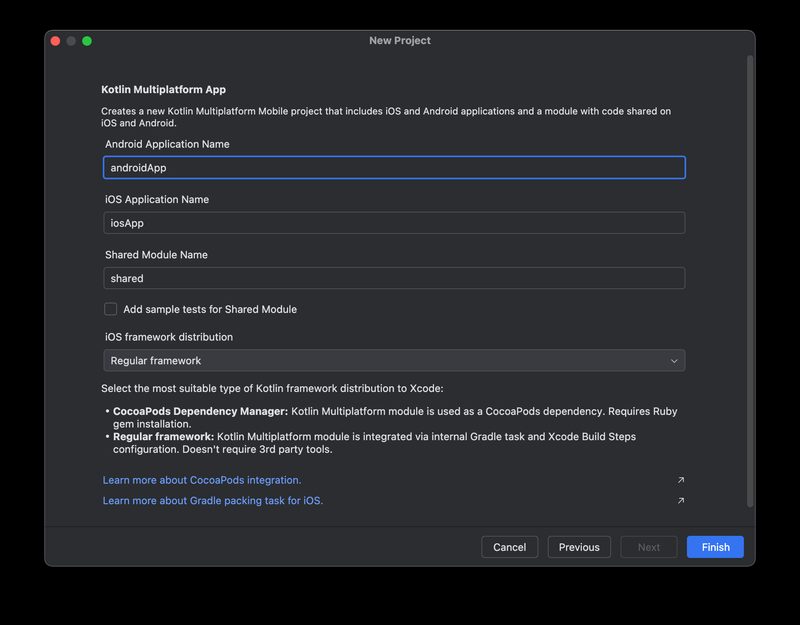
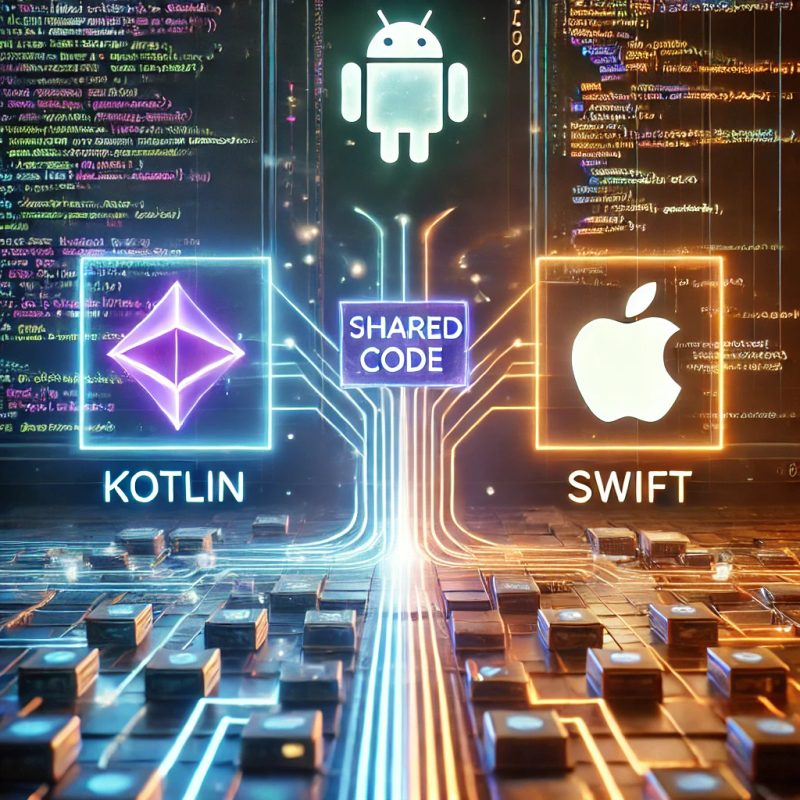
한 줄 요약: Kotlin Multiplatform(KMP)은 비즈니스 로직을 한 번 작성하고 Android, iOS, 웹, 데스크톱에서 공유하는 실용적인 접근이다. UI는 각 플랫폼 네이티브를 그대로 쓰거나 Compose Multiplatform으로 통합할 수 있으며, 2024년 1.0 안정화로 프로덕션 도입이 현실적이다. KMP의 핵심 아이디어는 공유할 수 있는 것만 공유하고, 플랫폼 특화 코드는 각 플랫폼에 남긴다 는 원칙이다.
한 줄 요약: Kotlin Multiplatform(KMP)은 비즈니스 로직을 한 번 작성하고 Android, iOS, 웹, 데스크톱에서 공유하는 실용적인 접근이다. UI는 각 플랫폼 네이티브를 그대로 쓰거나 Compose Multiplatform으로 통합할 수 있으며, 2024년 1.0 안정화로 프로덕션 도입이 현실적이다.
이 글이 필요한 사람
Android 앱과 iOS 앱에서 중복 비즈니스 로직을 공유하고 싶은 팀
React Native나 Flutter 대신 네이티브 성능을 유지하면서 코드 공유를 원하는 경우
KMP의 핵심 아이디어는 공유할 수 있는 것만 공유하고, 플랫폼 특화 코드는 각 플랫폼에 남긴다는 원칙이다. React Native나 Flutter처럼 UI까지 완전 통합하는 방식과 달리, KMP는 비즈니스 로직 공유에 집중하고 UI는 각 플랫폼의 네이티브 방식을 유지할 수 있다.
KMP 모듈 구조:
commonMain — 모든 플랫폼에서 실행되는 순수 Kotlin 코드. 비즈니스 로직, 데이터 모델, API 클라이언트, Repository 패턴.
androidMain — Android 전용 구현. Android SDK, Room, Jetpack 라이브러리.
iosMain — iOS 전용 구현. Foundation, UIKit 관련 코드, Swift Interop.
jsMain — 웹(Kotlin/JS) 전용 구현.
desktopMain — JVM 기반 데스크톱(macOS, Windows, Linux).
expect/actual 메커니즘: 플랫폼마다 다른 구현이 필요한 경우 expect로 인터페이스를 선언하고, 각 플랫폼 소스셋에서 actual로 구현한다. 예: 플랫폼별 로컬 스토리지, 암호화, 날짜 포맷.
Kotlin Multiplatform 실전 가이드 — 언어별 성능 벤치마크 (출처: 공식 문서 및 벤치마크 데이터 기반)
KMP 프로젝트 구조 및 expect/actual 예시
// build.gradle.kts — KMP 멀티플랫폼 설정
kotlin {
androidTarget()
iosX64()
iosArm64()
iosSimulatorArm64()
sourceSets {
commonMain.dependencies {
implementation("io.ktor:ktor-client-core:2.3.7")
implementation("org.jetbrains.kotlinx:kotlinx-serialization-json:1.6.2")
implementation("org.jetbrains.kotlinx:kotlinx-coroutines-core:1.7.3")
}
androidMain.dependencies {
implementation("io.ktor:ktor-client-okhttp:2.3.7")
}
iosMain.dependencies {
implementation("io.ktor:ktor-client-darwin:2.3.7")
}
}
}
// commonMain/Platform.kt — expect 선언
expect fun getPlatformName(): String
expect class PlatformLogger() {
fun log(message: String)
}
// androidMain/Platform.android.kt — actual 구현
actual fun getPlatformName(): String = "Android ${android.os.Build.VERSION.SDK_INT}"
actual class PlatformLogger actual constructor() {
actual fun log(message: String) = android.util.Log.d("KMP", message)
}
// iosMain/Platform.ios.kt — actual 구현
actual fun getPlatformName(): String = UIDevice.currentDevice.systemName()
actual class PlatformLogger actual constructor() {
actual fun log(message: String) = NSLog("%@", message)
}
Shared Module 실전 예시 — Repository 패턴
실무에서 가장 많이 공유하는 코드는 네트워크 요청, 데이터 모델, 비즈니스 규칙이다. 아래는 Ktor + Kotlin Serialization을 사용한 공통 API 클라이언트와 Repository 구현이다.
commonMain — 공유 Repository 및 API 클라이언트
// commonMain/data/UserRepository.kt
import io.ktor.client.*
import io.ktor.client.call.*
import io.ktor.client.request.*
import kotlinx.serialization.Serializable
@Serializable
data class User(
val id: Int,
val name: String,
val email: String
)
class UserRepository(private val client: HttpClient) {
suspend fun getUser(id: Int): Result<User> {
return runCatching {
client.get("https://api.example.com/users/$id").body<User>()
}
}
suspend fun getUsers(): Result<List<User>> {
return runCatching {
client.get("https://api.example.com/users").body<List<User>>()
}
}
}
// commonMain/di/HttpClientFactory.kt
import io.ktor.client.*
import io.ktor.client.plugins.contentnegotiation.*
import io.ktor.serialization.kotlinx.json.*
fun createHttpClient(): HttpClient = HttpClient {
install(ContentNegotiation) {
json()
}
}
위 코드는 commonMain에 작성되며 Android와 iOS 모두에서 동일하게 동작한다. Android에서는 OkHttp 엔진, iOS에서는 Darwin(NSURLSession) 엔진이 자동으로 선택된다. 비즈니스 로직은 완전히 공유되면서 플랫폼별 네트워크 구현은 KMP가 처리한다.
Kotlin Multiplatform 실전 가이드 — 문법 비교 차트 (출처: 공식 문서 및 벤치마크 데이터 기반)
Compose Multiplatform — UI도 공유하려면
Compose Multiplatform(CMP)은 KMP 위에 UI 공유 레이어를 추가한다. Jetpack Compose 문법으로 작성한 UI를 Android, iOS, 웹(Wasm), 데스크톱에서 공유한다.
KMP vs Compose Multiplatform 차이:
항목
KMP (비즈니스 로직만)
Compose Multiplatform (UI 포함)
공유 범위
비즈니스 로직, 네트워킹, 데이터
UI + 비즈니스 로직 전체
iOS UI
SwiftUI / UIKit (네이티브)
Compose로 렌더링 (Skia 엔진)
안정성
Stable (1.0)
iOS Alpha → Beta 진행 중
플랫폼 접근성
각 플랫폼 접근성 그대로
Skia 렌더링으로 접근성 제한
추천 케이스
플랫폼 룩앤필 유지 필요
내부 도구, B2B, 디자인 통일 우선
소비자 대면 앱이라면 각 플랫폼의 네이티브 룩앤필을 유지하는 것이 사용자 경험상 유리하다. 내부 관리 도구, 대시보드, B2B 앱에서는 Compose Multiplatform으로 UI까지 완전히 공유하는 것도 실용적이다.
iOS 통합 — Swift에서 KMP 모듈 사용하기
KMP의 iOS 통합은 Kotlin 코드를 Objective-C 프레임워크(XCFramework)로 빌드해 Swift에서 호출하는 방식이다. Kotlin coroutines는 Swift의 async/await로 변환되며, Kotlin의 sealed class는 Swift에서 enum-like 패턴으로 사용할 수 있다.
Kotlin Multiplatform 실전 가이드 — 생태계 구성 다이어그램 (출처: 공식 문서 및 벤치마크 데이터 기반)
iOS — XCFramework 빌드 및 Swift에서 KMP 호출
# XCFramework 빌드 (Gradle 태스크)
./gradlew assembleXCFramework
# → build/XCFrameworks/release/shared.xcframework 생성
# Xcode에서 shared.xcframework를 Frameworks에 추가 후
// Swift에서 KMP 코드 호출
import shared // KMP 모듈 import
class UserViewModel: ObservableObject {
@Published var user: User?
@Published var errorMessage: String?
private let repository = UserRepository(client: createHttpClient())
func loadUser(id: Int) {
// Kotlin suspend 함수 → Swift async/await 변환
Task {
do {
// KotlinInt로 변환 필요
let result = try await repository.getUser(id: Int32(id))
await MainActor.run {
self.user = result
}
} catch {
await MainActor.run {
self.errorMessage = error.localizedDescription
}
}
}
}
}
Swift Concurrency 주의: Kotlin coroutines와 Swift async/await의 변환은 SKIE(Swift/Kotlin Interface Enhancer) 라이브러리를 함께 사용하면 훨씬 자연스러워진다. 기본 KMP-Swift 브릿지만으로는 콜백 방식으로 노출되는 경우가 있다. SKIE는 Touchlab에서 오픈소스로 제공한다.
실무 적용 사례와 도입 판단 기준
실제 도입 사례:
Netflix: 모바일 앱의 일부 비즈니스 로직 공유에 KMP 사용
Touchlab: 자사 앱과 클라이언트 프로젝트에서 KMP 프로덕션 적용, SKIE 오픈소스 개발
Philips: 의료기기 데이터 처리 로직 Android/iOS 공유
Square: SDK 레이어에 KMP 도입
도입하기 좋은 상황:
Android 팀이 Kotlin에 이미 능숙하고, iOS 네이티브도 유지하고 싶은 경우
API 클라이언트, 캐싱, 비즈니스 규칙이 두 플랫폼에서 중복 구현된 경우
새 기능을 한 팀이 두 플랫폼에 동시 출시해야 하는 경우
주의가 필요한 상황:
iOS 팀이 Swift 외 코드에 익숙하지 않아 KMP 디버깅이 어려운 경우
서드파티 라이브러리를 많이 쓰는데 KMP 버전이 없는 경우 (expect/actual로 래핑 필요)
iOS 앱의 비중이 매우 낮아 공유 이득이 마이그레이션 비용보다 작은 경우
점진적 도입 전략: 기존 Android 앱에 KMP를 전면 도입하는 것보다, 신규 피처 하나를 공유 모듈로 작성하고 Android에서 먼저 검증한 뒤 iOS에 붙이는 순서가 현실적이다. 네트워킹 레이어(Ktor + Repository)부터 시작하면 리스크가 낮다.
자주 묻는 질문
가장 자주 발생하는 실수나 함정은 무엇인가요?
처음 KMP를 붙이는 팀이 가장 많이 부딪히는 지점은 Kotlin coroutines와 Swift async/await의 변환입니다. 기본 KMP-Swift 브릿지만으로는 suspend 함수가 콜백 방식으로 노출되어 Swift 쪽 코드가 지저분해지는데, Touchlab의 SKIE 라이브러리를 붙이면 자연스러운 async/await로 바뀝니다. 두 번째는 처음부터 전면 도입을 시도하는 것입니다. 기존 Android 앱 전체를 한 번에 공유 모듈로 옮기려다 일정이 무너지는 경우가 많습니다. 세 번째는 서드파티 라이브러리 의존입니다. 평소 쓰던 Android 라이브러리가 KMP를 지원하지 않으면 expect/actual로 직접 래핑해야 하므로, 도입 전에 핵심 의존성의 멀티플랫폼 지원 여부를 먼저 확인하세요.
다른 대안과 비교했을 때 어떤 상황에 적합한가요?
KMP가 가장 잘 맞는 곳은 이미 Android 팀이 Kotlin에 능숙하고, API 클라이언트·캐싱·비즈니스 규칙이 Android와 iOS에 중복 구현돼 있는 조직입니다. 한 팀이 신규 기능을 두 플랫폼에 동시에 내야 하는 상황이라면 효과가 큽니다. React Native나 Flutter와 달리 UI는 각 플랫폼 네이티브를 그대로 두므로 룩앤필 손상이 없다는 점도 차별점입니다. 반대로 iOS 팀이 Swift 외 코드를 꺼려 KMP 디버깅을 부담스러워하거나, 핵심 서드파티 라이브러리에 KMP 버전이 없어 expect/actual 래핑이 많이 필요하거나, iOS 앱 비중이 매우 낮아 공유 이득이 마이그레이션 비용보다 작다면 도입을 미루는 편이 낫습니다.
더 깊게 공부하려면 어떤 자료를 보면 좋을까요?
JetBrains 공식 KMP 시작 가이드(jetbrains.com/help/kotlin-multiplatform-dev)로 commonMain·androidMain·iosMain 소스셋 구조와 expect/actual 메커니즘을 먼저 익히세요. 공유 코드는 대부분 네트워킹이므로 Ktor 클라이언트 문서, 직렬화는 kotlinx.serialization 문서를 함께 보면 실전에 바로 옮길 수 있습니다. iOS 연동에서 Kotlin coroutines를 Swift async/await로 자연스럽게 노출하려면 Touchlab의 SKIE(깃허브 touchlab/SKIE) 문서가 사실상 필수 자료입니다. UI까지 공유할 생각이면 Compose Multiplatform 공식 사이트의 iOS 안정성 현황을 확인해 두는 것이 좋습니다.
Kotlin Multiplatform 실전 가이드, 한 줄로 정리하면 어떻게 되나요?
KMP는 '한 번 작성, 어디서나 실행'의 완전 추상화가 아니라, 공유 가능한 비즈니스 로직·네트워킹·데이터 처리만 commonMain에 모으고 UI와 하드웨어 접근 같은 플랫폼 특화 부분은 각 플랫폼에 맡기는 현실적인 코드 공유 방식입니다. 2023년 11월 1.0 안정화로 프로덕션 도입이 현실적이 됐고, UI까지 공유하고 싶으면 Compose Multiplatform을 얹을 수 있습니다. 첫 도입은 네트워킹 레이어부터 시작해 Android에서 검증한 뒤 XCFramework로 iOS에 붙이는 순서가 정석입니다.
실무에서 처음 도입할 때 가장 먼저 확인할 것은 무엇인가요?
UI까지 공유할지(Compose Multiplatform), 비즈니스 로직만 공유할지(순수 KMP)를 가장 먼저 정해야 합니다. 소비자 대면 앱이라면 각 플랫폼의 네이티브 룩앤필이 중요하니 비즈니스 로직만 KMP로 공유하고 UI는 SwiftUI·Jetpack Compose로 따로 두는 편이 안전합니다. iOS의 Compose Multiplatform은 아직 Beta 단계라 접근성도 제한됩니다. 실제 첫 도입은 가장 중복이 심한 네트워킹 레이어부터 시작하는 것이 정석입니다. Ktor 클라이언트와 Repository 패턴을 commonMain에 하나 만들어 Android에서 먼저 검증한 뒤 XCFramework로 빌드해 iOS에 붙이면, 리스크를 작게 두고 효과를 빨리 확인할 수 있습니다.